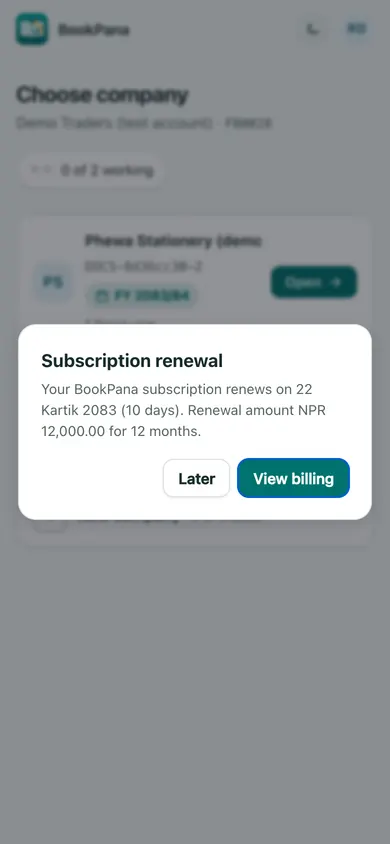
Only the account owner can open Billing. Team members may see a renewal reminder, but it contains no price or bank details.
Check your subscription
- Sign in to the portal and open the profile menu.
- Choose Billing.
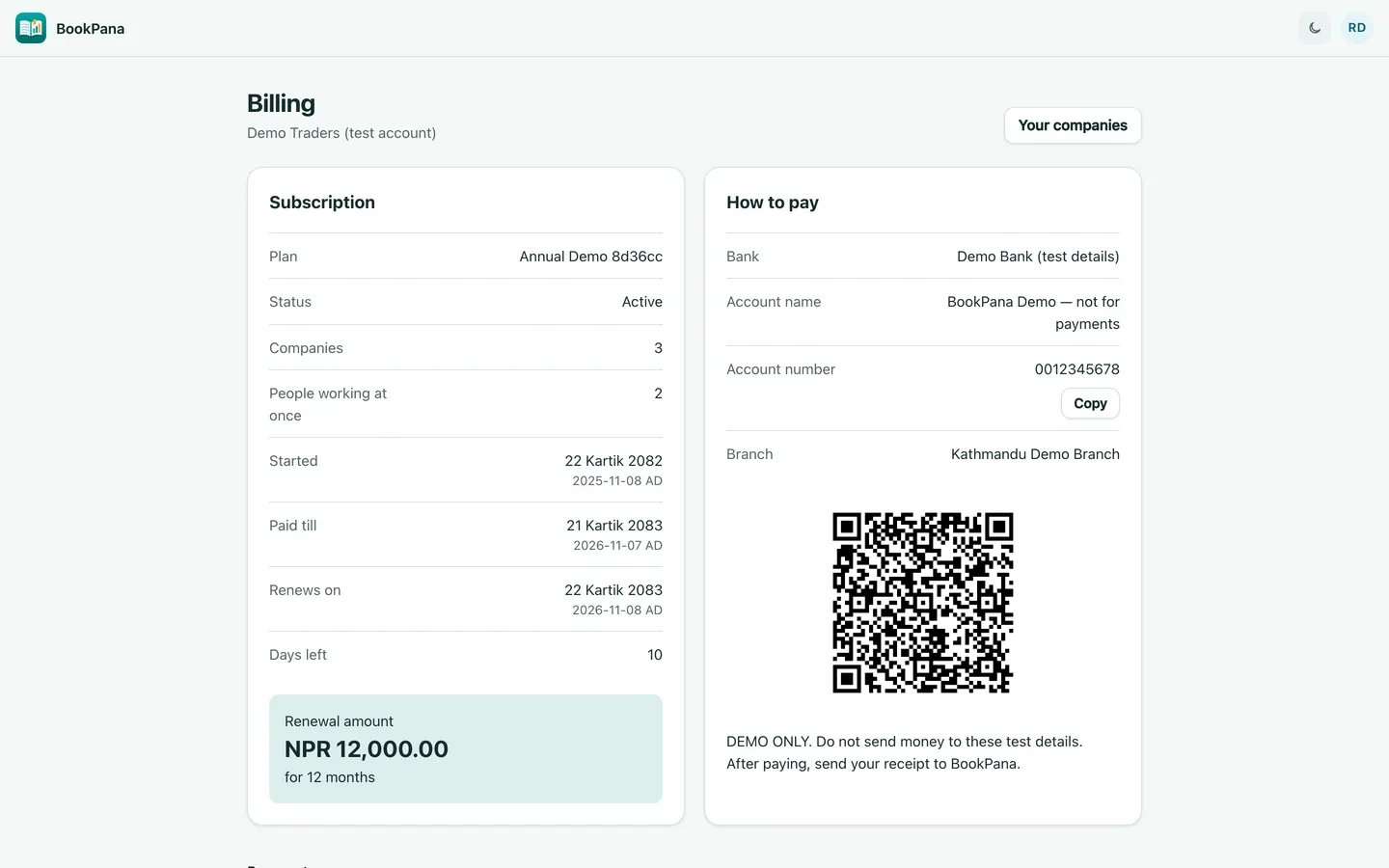
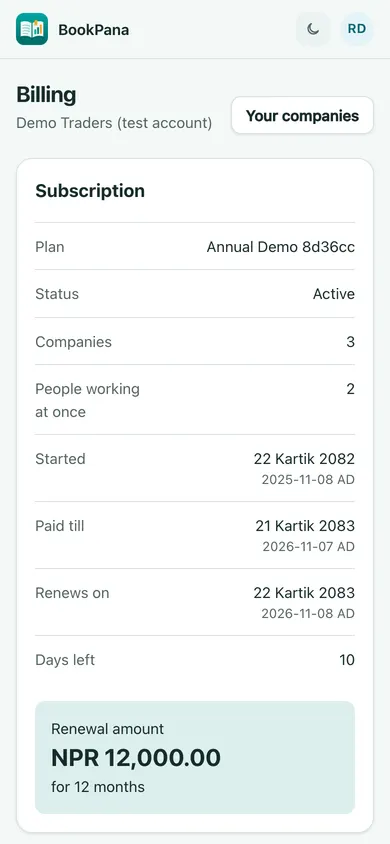
- In Subscription, check Plan, Status, Companies, People working at once, Started, Paid till and Renews on.
- Review Renewal amount and its number of months. If it says Ask us, contact BookPana for the amount.
Dates show BS first with a smaller AD date. If your account is in its grace period, read the notice showing when access closes.
Pay and check the record
Read How to pay. Use the bank details or payment QR shown for your account and follow the payment note. Copy copies the account number. If no details are shown, ask BookPana for them before paying.
This page does not collect an online payment. After paying, follow the note about sending proof. BookPana staff record the payment and renewal; check Payments for the amount, reference and covered period.
A renewal reminder may appear on the company page near the renewal date. Owners can choose View billing or Later; members see OK. Dismissing a reminder hides it for that day in that browser, not the renewal itself. The screenshots contain demo payment instructions only; never use their details to pay.
In BookPana
Example screens use fictional demo data. Your records and available actions depend on your company and access.
See the phone layout: Owner billing details
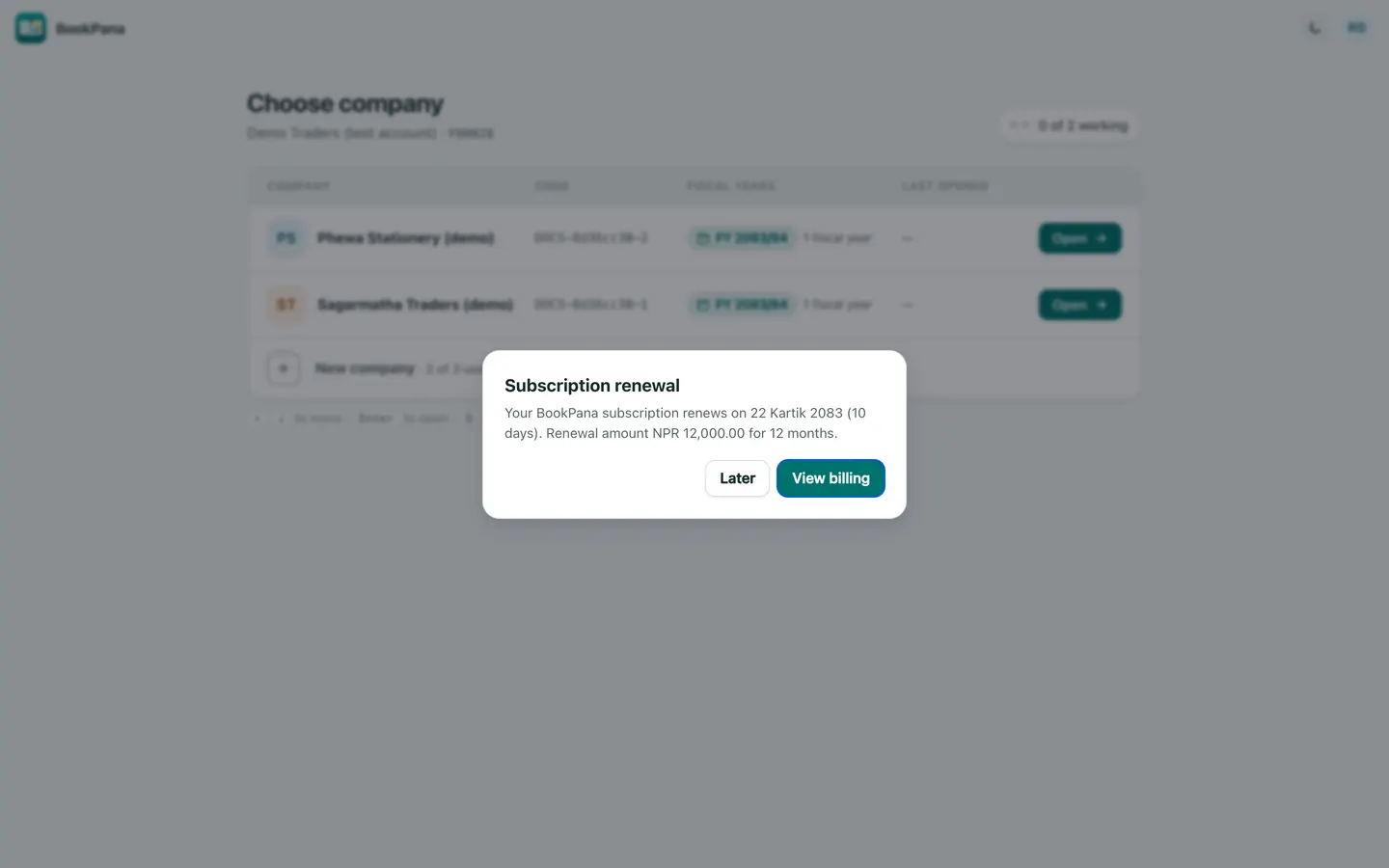
See the phone layout: Owner renewal reminder