When to use it
Use the Import Purchase add-on for foreign supplier bills, Nepal customs declarations and costs added to imported goods. Ask BookPana to activate the add-on for your company before switching it on.
Switch it on
- Open Settings → General. Under Features, tick Enable Import Purchase.
- Choose Save. Reload Books if prompted.
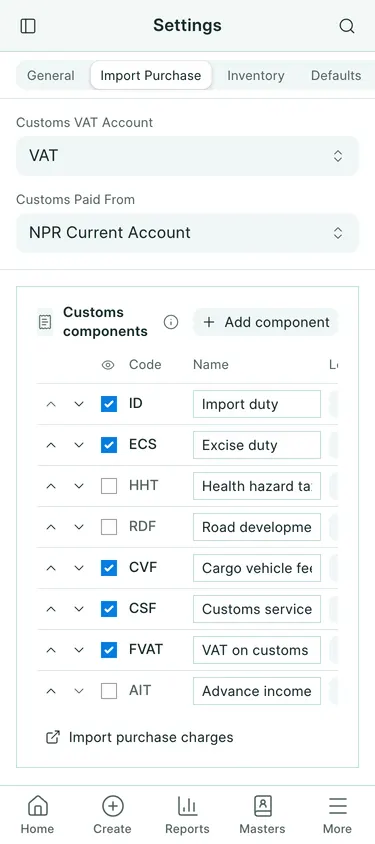
- Open Settings → Import Purchase. Choose Customs VAT Account for recoverable customs VAT and Customs Paid From for the bank, cash or customs liability account normally used.
- Check the customs components against the declarations you receive. Keep ID for import duty. ECS means excise duty; HHT means health hazard tax. CVF is the cargo vehicle fee, CSF the customs service fee and FVAT the VAT on that fee. AIT is advance income tax.
- For each component, choose its Treatment: Item Cost adds it to the goods, expense or fixed asset; Expense posts it to an expense account; Claimable posts it to a tax or asset account. Choose an Account for the last two treatments. Enable Show on entry only for the components you use.
- Save the settings. Under General → Accounts, also check Exchange Gain/Loss Account and Bank Charges Account before paying an overseas supplier.
Number series
Pragyapan Patras use PP-, Import Cost Entries use ICE-, and Advance Adjustments use ADJ-. Check the company’s defaults before entering documents. The fictional examples here are PP-00001 and ICE-00003; your numbers can differ.
What gets booked
Enabling the add-on posts nothing. A submitted declaration or cost entry makes the accounting entries described in the following guides. A declaration keeps a snapshot of its components and their treatment.
Common mistakes
Do not treat recoverable VAT as an item cost. Check excise treatment with your accountant: a manufacturer’s claimable excise may need different settings. Changing settings does not rewrite submitted declarations. Keep the add-on active while entering import documents.
In BookPana
Example screens use fictional demo data. Your records and available actions depend on your company and access.
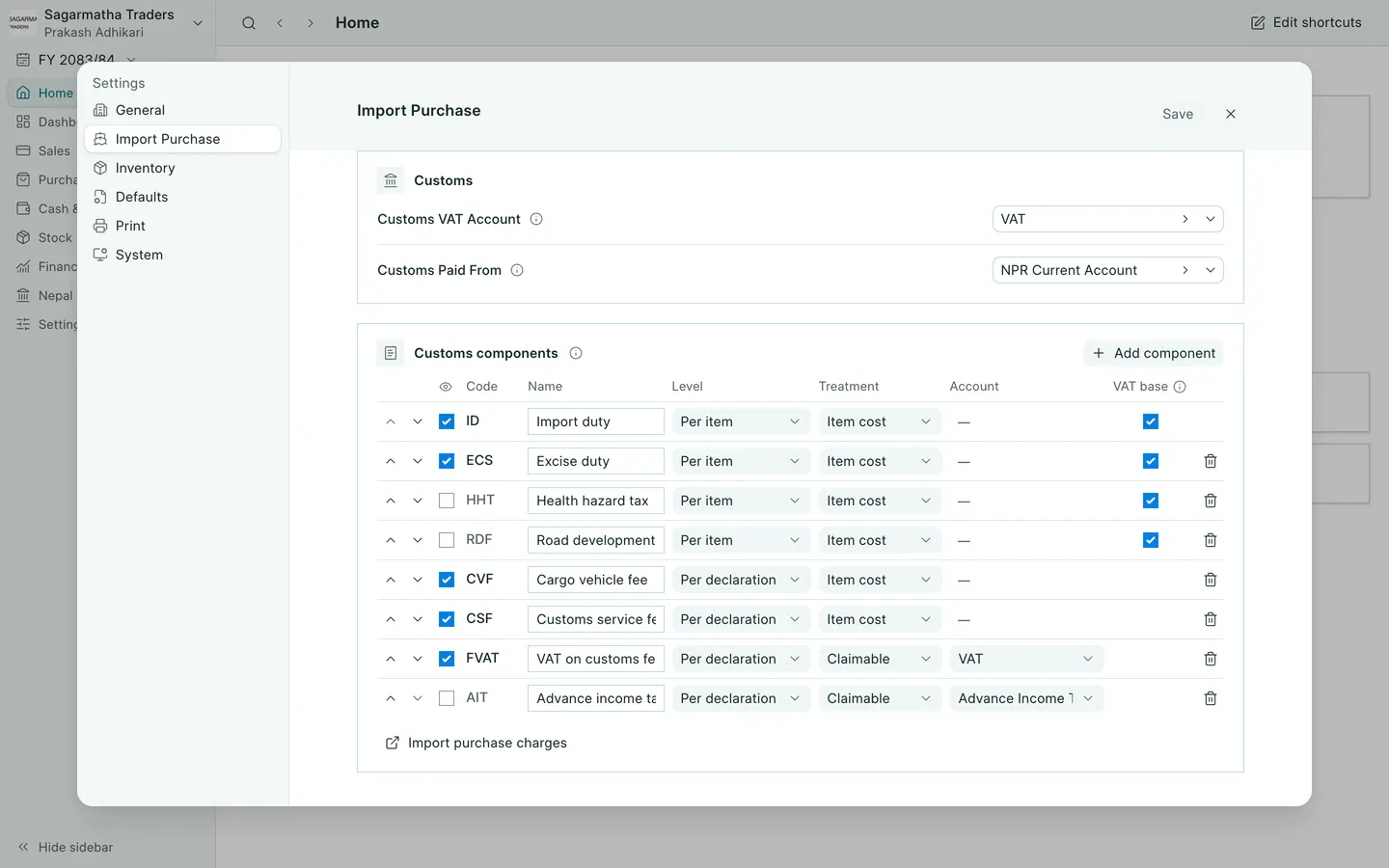
See the phone layout: Import Purchase settings