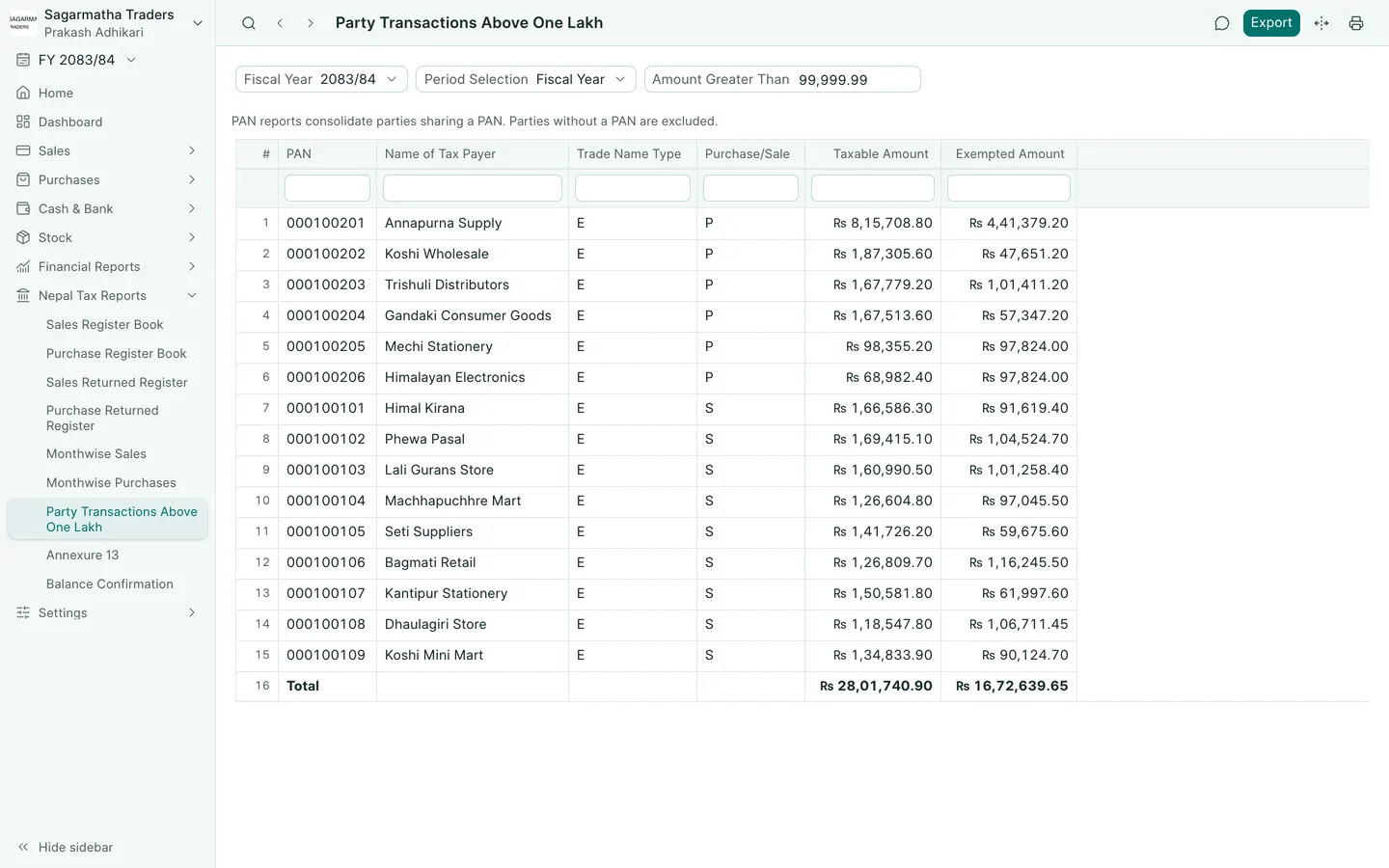
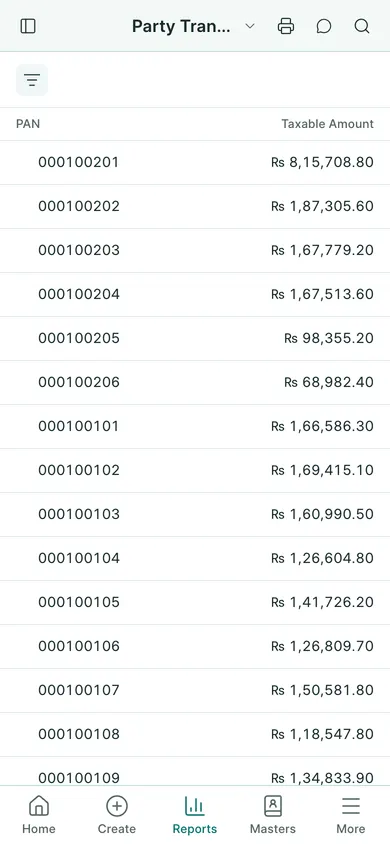
Check parties above one lakh
- Open Nepal Tax Reports → Party Transactions Above One Lakh.
- Check the fiscal-year or date-range filters.
- Review each party’s name, PAN or VAT number and transaction totals. One lakh is NPR 100,000. Check Amount Greater Than before using the list. Parties sharing a PAN are consolidated; parties without a PAN are excluded.
- Compare a party’s figures with its customer or supplier ledger for the same period.
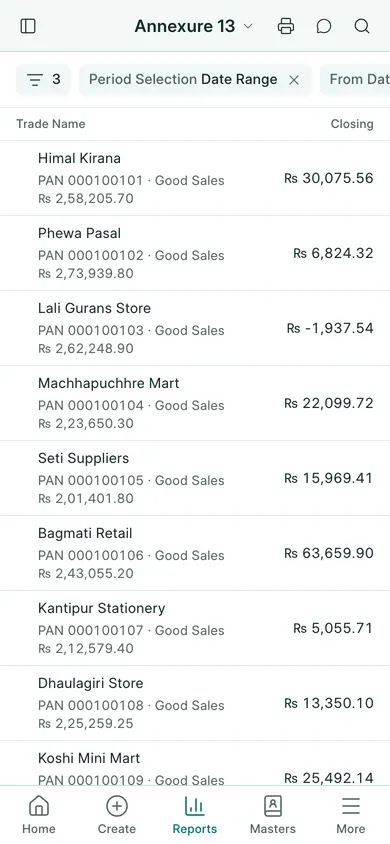
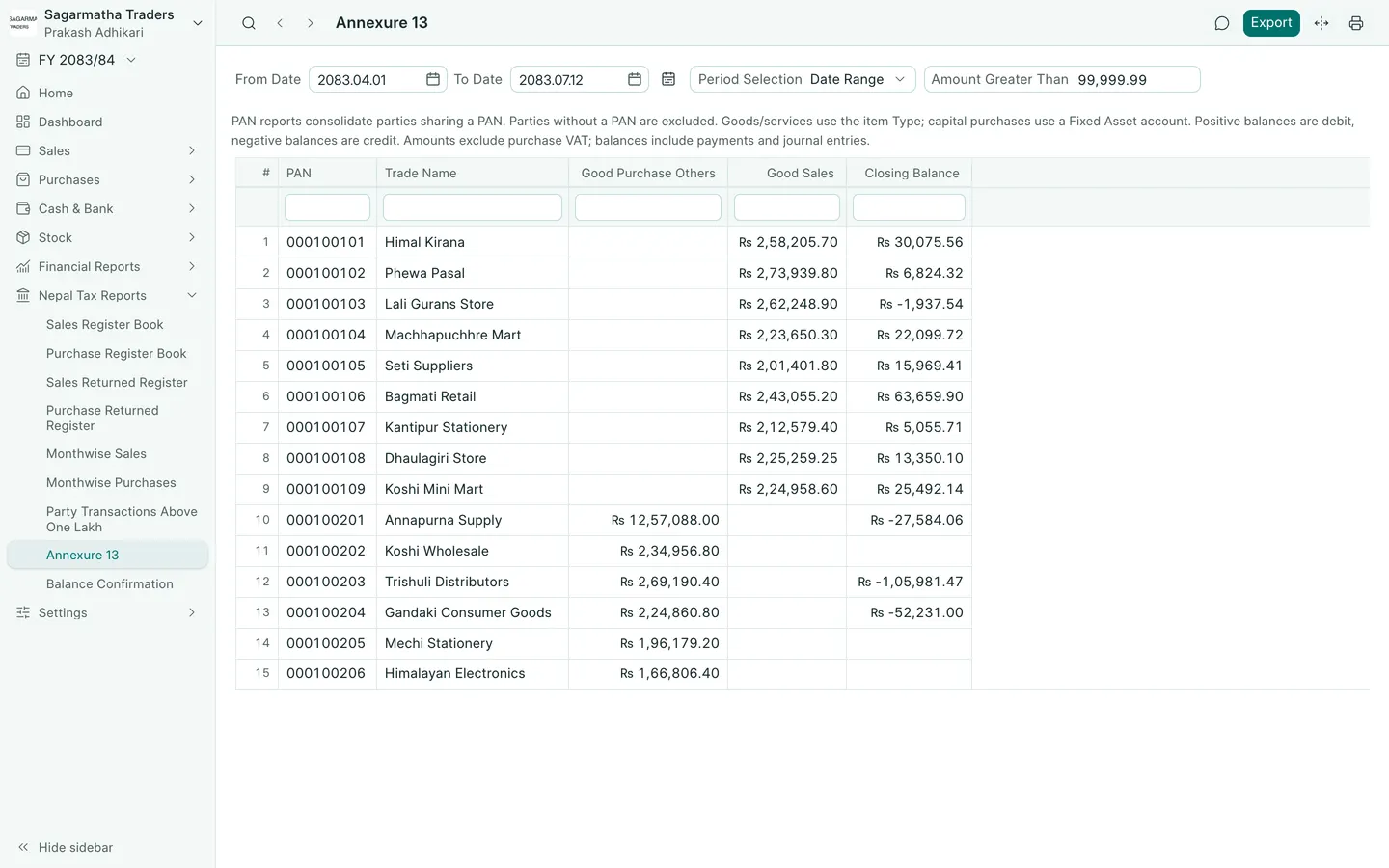
Open Annexure 13
- Open Nepal Tax Reports → Annexure 13.
- Select the period you need and review the party and PAN details.
- Check the goods and service sales and purchase figures against the source invoices.
- Use the report’s print or export action when you need a copy.
The on-screen report is labelled Annexure 13. Keep your party PANs and item types correct before relying on its totals. This guide explains the report controls; have the accountant check the reporting period and figures before submission elsewhere.
In BookPana
Example screens use fictional demo data. Your records and available actions depend on your company and access.
See the phone layout: Party transactions above one lakh
See the phone layout: Annex 13