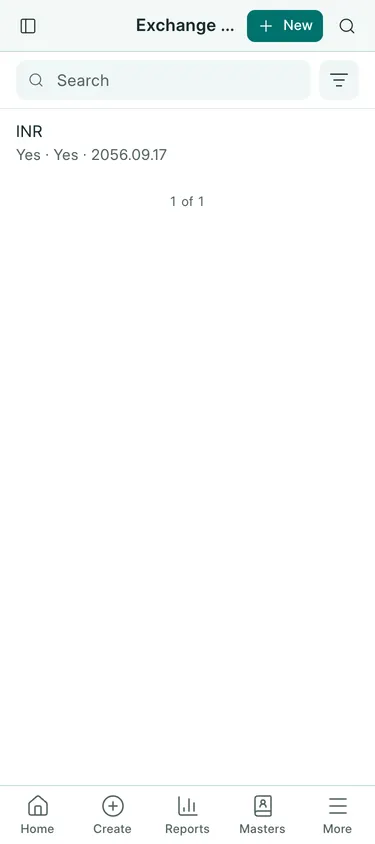
When to use it
Set a buying rate before entering a foreign supplier’s bill. The bill uses its own rate; the bank can use a different rate when you pay.
Enter a rate
- Open Settings → Exchange Rates → New.
- Choose Currency and From Date. Enter the date from which this rate applies.
- Enter Rate as NPR for one unit of the foreign currency: 1 INR = 1.6015 NPR. Check Reverse, which is about 0.624414611 INR for one NPR.
- Tick For Buying for supplier purchases, For Selling for customer sales, or both where appropriate.
- Save. On a purchase bill, choose the supplier and check Exchange Rate beneath the supplier details. Check which currency is on each side of the equals sign before typing.
A Nepal company starts with an INR rate of 1.6015 for buying and selling. The latest applicable buying rate on or before the bill date is used. Enter a later row when a new quotation applies. Rates keep up to nine decimals independently of quantity precision.
What gets booked
Saving an exchange rate posts nothing. Our USD bill has USD 1,230 × 132.50 = NPR 1,62,975. The NPR value enters the accounts when the bill is submitted.
Common mistakes
Do not enter the reverse quotation as the NPR rate. Do not round 1.6015 to 1.60. A bill’s exchange rate is separate from the customs rate on its Pragyapan Patra and the bank rate on a payment.
In BookPana
Example screens use fictional demo data. Your records and available actions depend on your company and access.
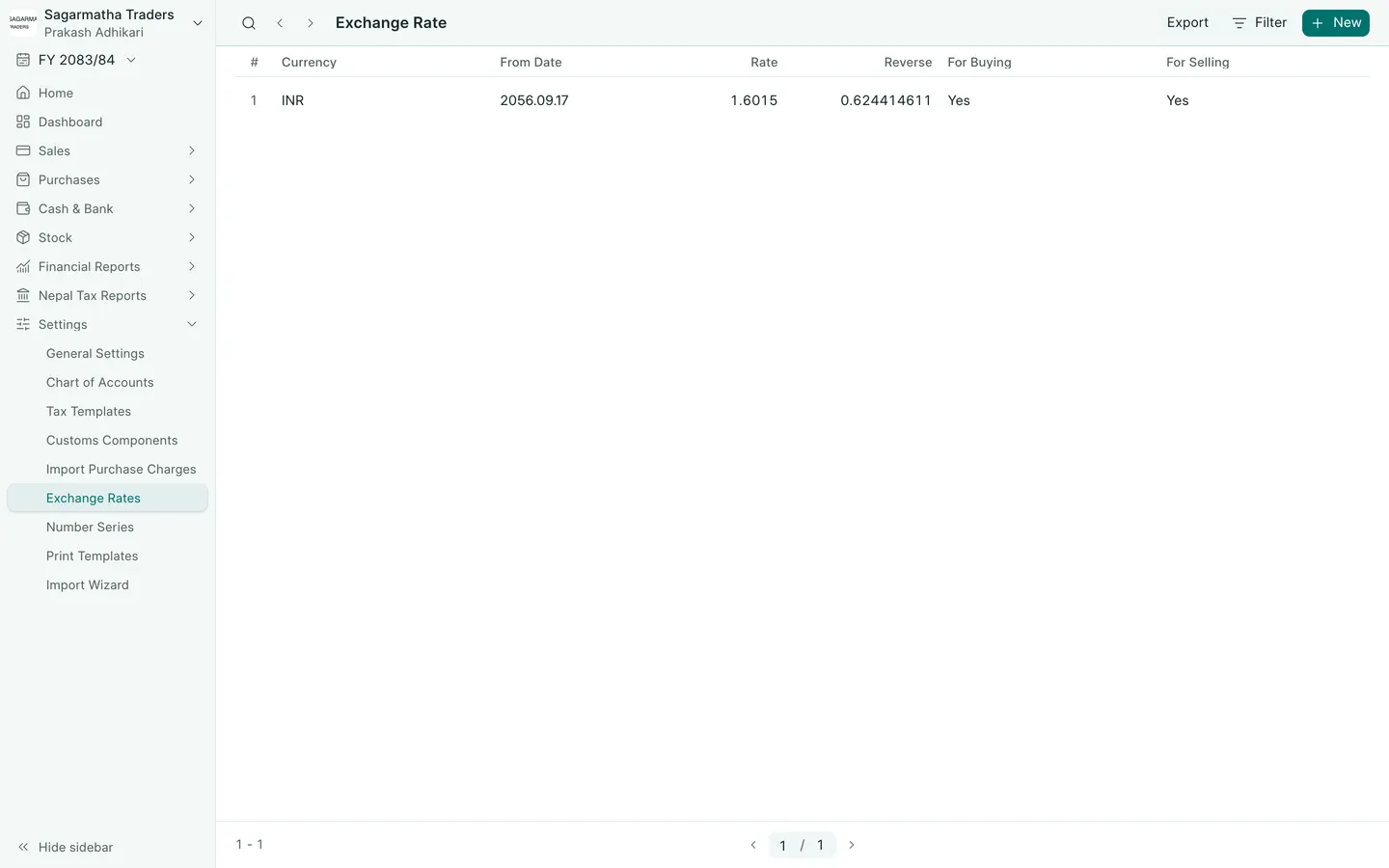
See the phone layout: Exchange rates