When to use it
Use a payment when your bank sends money to an overseas supplier. Keep the bank advice beside you. The bill’s rate and the bank’s rate can differ.
Record the payment
- Open the submitted bill and choose Create → Payment, or open Purchases → Payments → New and choose Party.
- Select the bills and enter the amount allocated to each in the supplier’s currency. Check Amount (USD), or the currency shown for your supplier.
- Choose Bank under Payment Method and check Posting Date.
- Enter Bank Rate (NPR per USD) from the bank advice. Alternatively enter Bank Paid (NPR) to calculate the rate. This is the conversion amount before charges.
- Enter Bank Charges, Bank Charges Account, Ref. / Cheque No. and Reference Date. Check To Party Ledger (NPR) and Exchange Gain (Loss).
- Save, review and submit. Confirm that the settled bill’s outstanding amount is zero.
What BookPana books
For a whole USD 1,230 bill at 132.50, paid at 133.10 with Rs 1,500 charges:
| Account | Dr (NPR) | Cr (NPR) |
|---|---|---|
| Supplier | 1,62,975 | |
| Exchange Gain/Loss | 738 | |
| Bank Charges | 1,500 | |
| Bank | 1,65,213 |
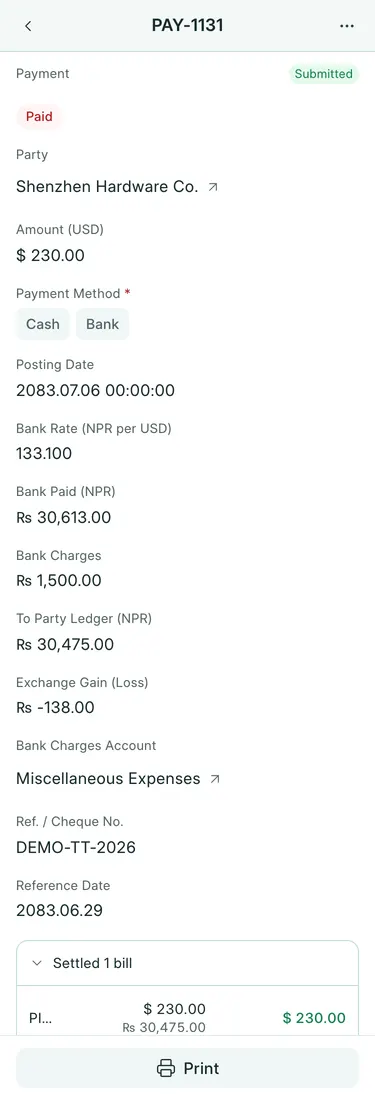
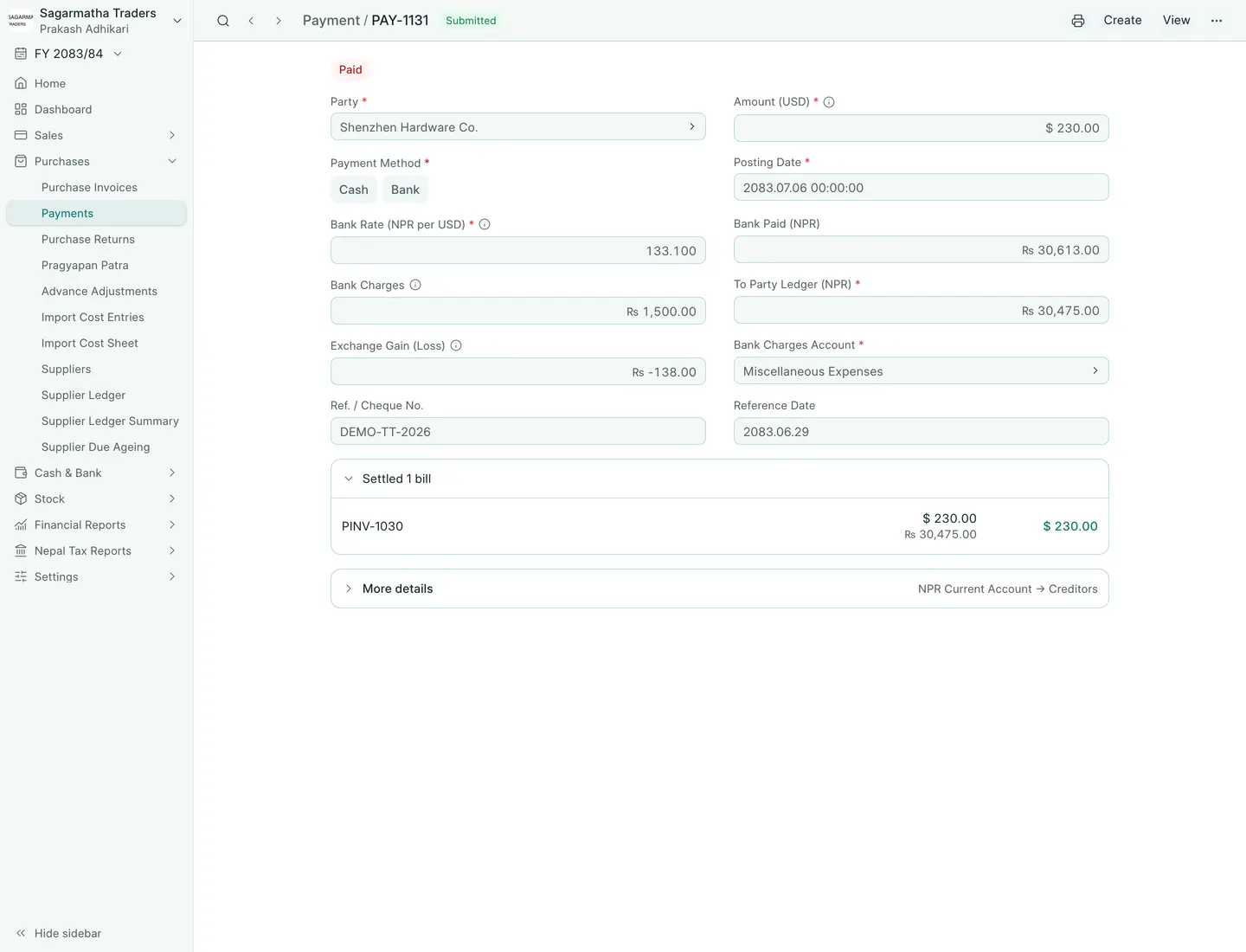
The screenshot is PAY-1131, the balance after an advance: USD 230 settles Rs 30,475 of the bill. Bank conversion is Rs 30,613, exchange loss Rs 138, and charges Rs 1,500. Total bank credit is Rs 32,113.
Common mistakes
Do not include bank charges in Amount (USD) or the conversion amount. A payment opened from a bill still needs the bank’s rate. Automatic payment on bill submission uses the bill’s rate without exchange gain or loss. No write-off is offered for foreign bill allocations.
In BookPana
Example screens use fictional demo data. Your records and available actions depend on your company and access.
See the phone layout: Overseas supplier payment