Create or open a company
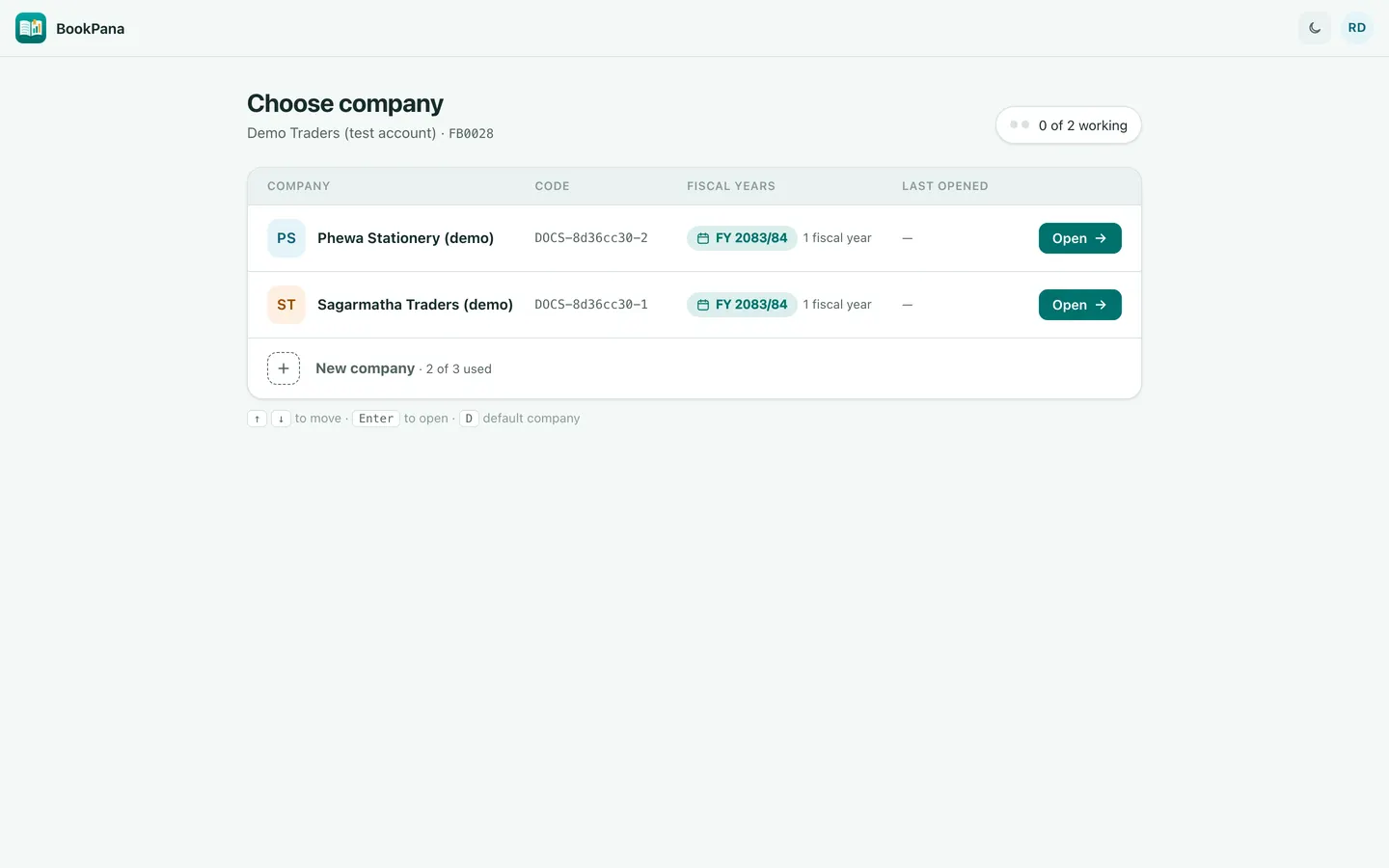
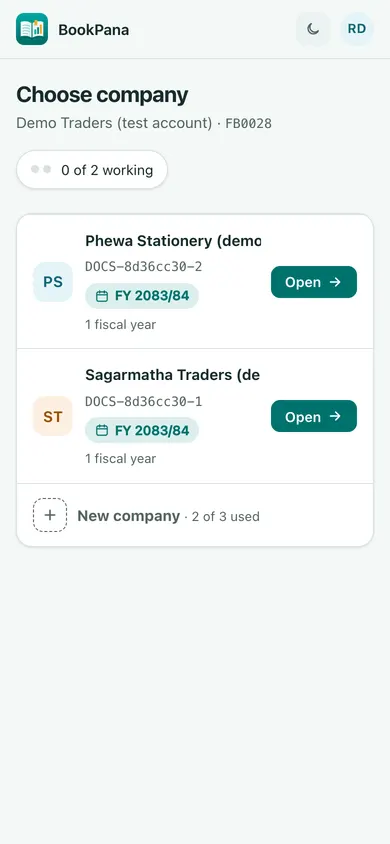
- Sign in to the portal and open Your companies.
- As the owner, choose New company when your plan has space.
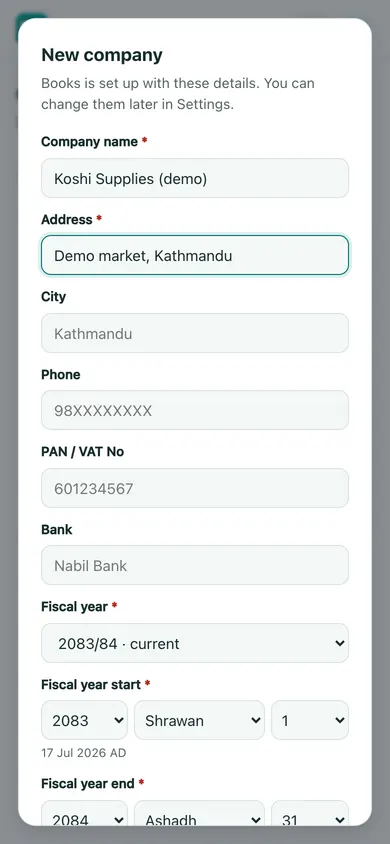
- Fill Company name and Address. Add City, Phone, PAN / VAT No and Bank as needed.
- Check Fiscal year, Fiscal year start and Fiscal year end. The date selectors use BS dates.
- Choose Create company. Wait for setup to finish, then choose Open and verify the details in Books.
Each company’s books are separate. Give team members access through Team; creating a company does not grant every person access automatically.
Understand working seats
The plan limits people working at the same time across the account’s companies. It does not limit how many team logins you may create. The portal shows how many people are working.
If all seats are occupied, ask someone to log out or wait. A seat frees after ten idle minutes or on log out. The owner can review Working now and choose Free seat for another session when appropriate.
Check your actual company and seat limits on Billing. Do not create another login to bypass a full seat count.
In BookPana
Example screens use fictional demo data. Your records and available actions depend on your company and access.
See the phone layout: Choose company
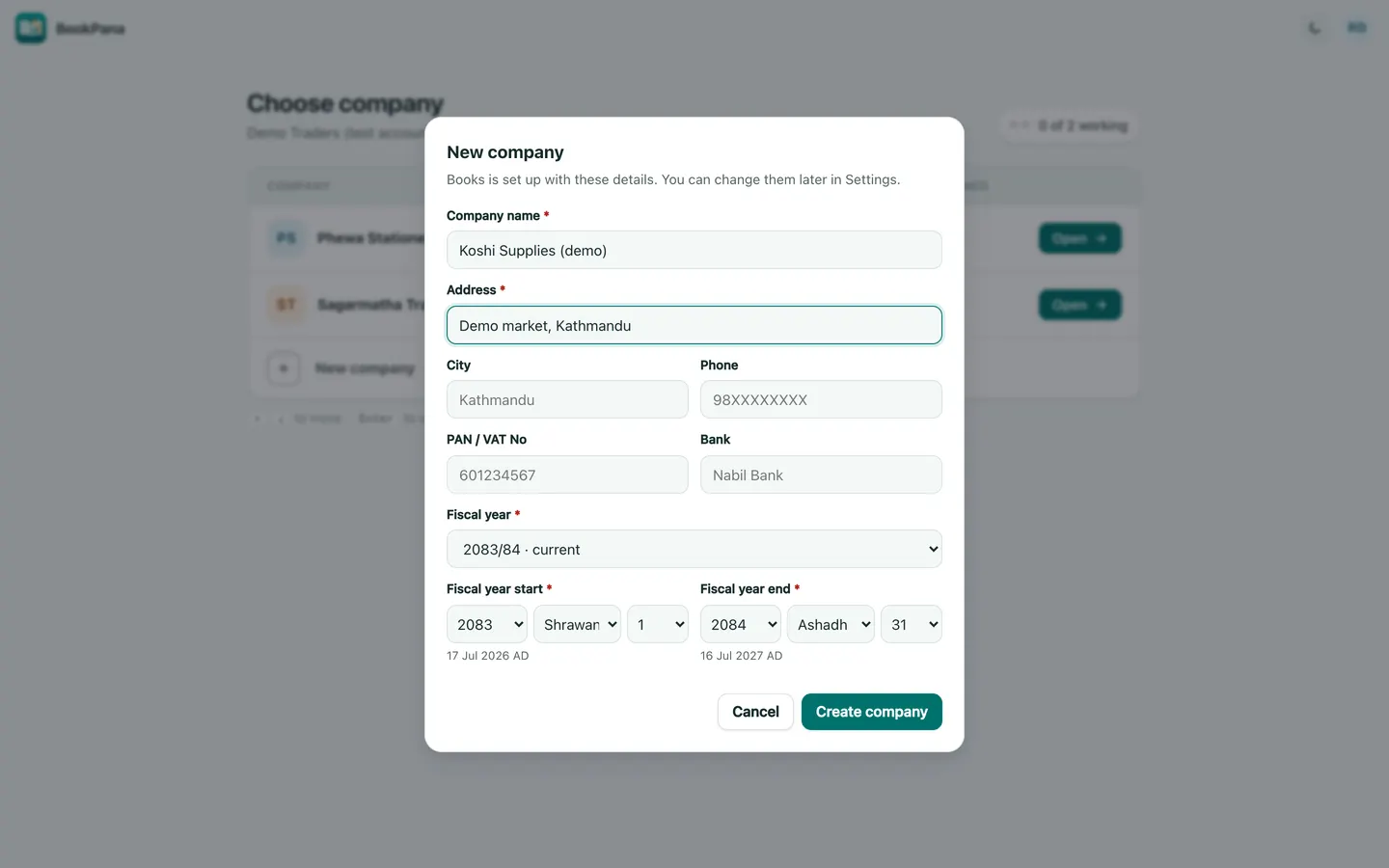
See the phone layout: New company dialog